Neither Apple nor Google built a way to send a photo from an iPhone to an Android phone. A third-party app fills the gap, and SHAREit is the one most people find. It works, but its reputation is worth knowing first. This page covers both, and the ways with no app.
The quick answer: SHAREit moves files from an iPhone to an Android phone over a Wi-Fi link the sending phone creates. It needs no mobile data and no shared network, and a big batch goes fast. It is also full of ads, and researchers have published flaws in it. For a few photos, a shared iCloud link is easier. Free for iPhone Free for Mac Free for Android Free for Windows

SHAREit moves files from iOS to Android over a link it makes itself
The transfer is short. The step that catches people out is where the two phones join:
- Install SHAREit from the App Store on the iPhone and the Play Store on the Android phone.
- Open the app on each phone and allow what it asks. The iPhone wants photo access. The Android phone wants to find nearby devices.
- On the iPhone, tap Send and pick the photos, videos or files.
- On the Android phone, tap Receive.
- The sending phone makes its own Wi-Fi network and shows its name and password.
- If the phones do not find each other, join that network in the receiving phone's Wi-Fi settings, then reopen the app.
- Tap the other phone when it appears on the radar, and accept on the receiving side.
- Check the files on the Android phone before you delete anything from the iPhone.

SHAREit works with no internet because one phone makes the network
This is the one thing SHAREit does that a cloud service cannot:
- SHAREit sends a file between an iPhone and an Android phone over a Wi-Fi link one of the phones creates. The sending phone is the network. Nothing goes through your router or your mobile plan.
- A SHAREit transfer from an iPhone to an Android phone works with no internet at all. It works on a plane, on a hotel network that blocks devices, or with no data left.
- The two phones do not need to be on the same Wi-Fi network for SHAREit to work. Browser tools like PairDrop need both devices on one network.
- Sending a big batch from an iPhone over a direct Wi-Fi link beats going through a cloud service. The files cross once at local speed, not up to a server and back down.

Camera to Clipboard sends the photo to a computer, not another phone
Many people who look up SHAREit want the photo in a document, an email or a chat on a laptop, not on another phone. A phone to phone app cannot help there.
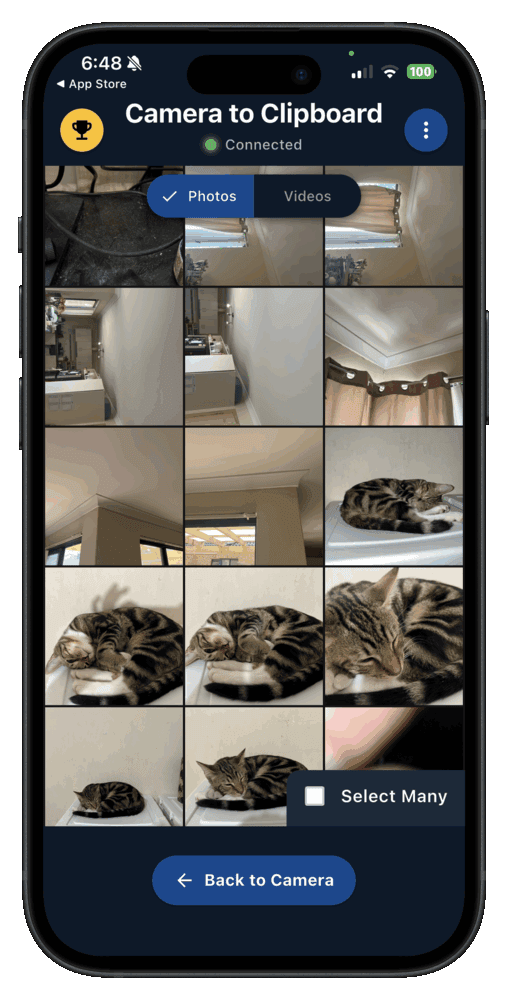
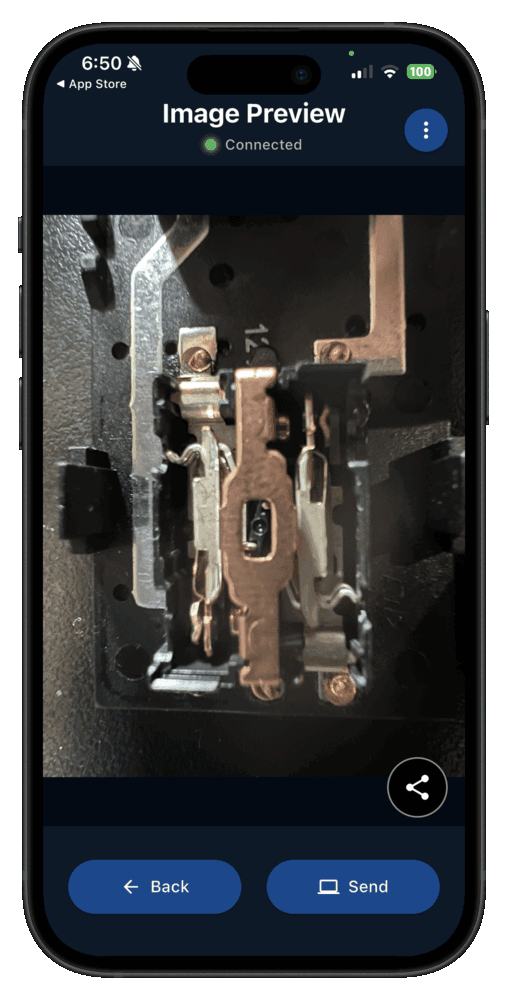
- A photo sent from a phone with Camera to Clipboard lands on the computer's clipboard, not in a folder. Press Ctrl + V on Windows or Cmd + V on a Mac to paste it.
- Camera to Clipboard sends photos from an iPhone or an Android phone to Windows or a Mac. AirDrop and Quick Share each cover only half of that.
- Camera to Clipboard sends the photo straight across your own Wi-Fi, with nothing uploaded to a cloud. No server holds a copy. The two apps use the internet only to find each other, so a phone hotspot works too.
- Camera to Clipboard shows no ads and no content feed. The app opens on your camera and your photo library, and that is all.
- Camera to Clipboard delivers the photo at full resolution, not the smaller copy a chat app sends. Nothing is recompressed, so what you paste is what the camera took.
Set up Camera to Clipboard once by scanning a QR code
Four steps get your first photo onto the computer:
- Install Camera to Clipboard on the phone and the desktop app on the computer.
- Pair them once by scanning a QR code. It takes about ten seconds.
- Take or pick a photo on the phone and send it.
- Press Ctrl + V, or Cmd + V on a Mac.
Free to download and try on both ends. To compare other apps, see our roundup of phone to PC transfer apps.

Join the SHAREit network by hand if an iPhone transfer stalls
Most SHAREit problems between an iPhone and an Android phone happen at the connection step:
- Joining the sending phone's temporary network is where an iPhone to Android transfer with SHAREit usually stalls. If the receiving phone never connects, join that network by hand in its Wi-Fi settings. The sending phone shows the name and password.
- An iPhone to Android transfer with SHAREit pauses if you leave the app. iOS pauses apps in the background, so keep SHAREit on screen and the phone unlocked.
- Setting up a SHAREit connection takes more taps on an iPhone than between two Android phones. iOS makes you approve or do the network join yourself, which is why guides show such different steps.

iOS lets SHAREit reach your photos and files but never your apps
An iPhone can send less than an Android phone. That is Apple's design, not a missing feature in SHAREit. Four limits to know:
- SHAREit can send only your photo library and the files you hand it from an iPhone. Apple walls each app off from the rest of the phone, so there is no folder of everything to open.
- SHAREit can copy an installed app between two Android phones, but never from an iPhone. iOS cannot export an app, and an iPhone app would not run on Android.
- Photos leave an iPhone in HEIC, the format the camera saved, not JPEG. Older Android phones may not open HEIC. To shoot JPEG instead, set Settings > Camera > Formats to Most Compatible.
- Contacts, messages and call history do not move from an iPhone to an Android phone with any file transfer app. They live inside Apple's own apps, so use your Android phone maker's switching tool during setup.

SHAREit pays for itself with ads that take over most of the app
SHAREit is free to install and makes its money from ads. That explains most of how the app looks and behaves:
- SHAREit has drawn steady criticism for the ads around the file transfer. It is not one small banner. People who install it for one transfer describe closing full-screen ads on the way.
- SHAREit also shows a feed of videos and games that has nothing to do with moving files. The company calls SHAREit an entertainment platform too, so the feed is deliberate.
- SHAREit's ads do not damage the files you send. What goes across arrives intact. The real question is whether you want the app on your phone afterwards.
- LocalSend does the same phone to phone job as SHAREit, free and with no ads. It is open source and runs on iOS, Android, Windows, macOS and Linux. Both devices must share one network, though, which SHAREit's own link avoids.

Install SHAREit for the transfer, then remove it when you are done
SHAREit has been the subject of published security research. Using it for the transfer and then removing it is the sensible response. Here is what is on the record:
- Security researchers at Trend Micro published flaws in the SHAREit Android app in 2021. SecurityWeek and others reported it. Research like this is common for an app installed over a billion times.
- The 2021 findings describe the SHAREit app of that time, not the version in the store today. We cannot check the current build for you. Heavy ads and published security research are both reasons to keep your use short.
- Removing SHAREit once your files have arrived costs you nothing. The photos are already in the Android phone's gallery. Reinstalling SHAREit next time takes a minute.

Get SHAREit from the official store and limit its permissions
If you do install SHAREit, keep these three things in mind:
- Install SHAREit only from the official App Store or Play Store listing. Any fix lives in the latest build. A third-party download site skips those fixes and adds its own risk.
- Give SHAREit only the permissions the transfer needs, on both phones. That means photo access on the iPhone, and nearby device and storage access on Android. Switch off anything wider.
- Check that SHAREit is in your country's app store before you plan a transfer around it. India blocked it in 2020 with other Chinese-developed apps, a government decision rather than a verdict on the software.

An iPhone has no built-in way to send photos to most Android phones
A third-party app is only needed because Apple and Google never linked their phones:
- AirDrop is an Apple feature, and an ordinary Android phone cannot receive it. It is built into iPhone, iPad and Mac, and nowhere else.
- Quick Share is Android's own nearby sharing, and it has no iPhone app. It reaches Android phones, Windows and Chromebooks. Our AirDrop for Android guide has the detail.
- Bluetooth cannot send a photo from an iPhone to an Android phone. iOS has no Bluetooth file transfer to non-Apple devices, so the option is not in Settings.

Quick Share reaches AirDrop from recent Pixel and Galaxy phones
That has started to change, but only on some Android phones:
- Google linked Quick Share to AirDrop without any help from Apple. It started with the Pixel 10 family in November 2025. The Pixel 9 series, the Galaxy S24 and later, and lines from OnePlus, Xiaomi, OPPO, vivo and HONOR followed in early 2026.
- Quick Share to AirDrop needs the iPhone set to Everyone for 10 Minutes. Contacts Only never works with an Android phone.
- Most Android phones still cannot use Quick Share to reach an iPhone. That is where SHAREit and the link methods come in. Our Quick Share to AirDrop guide lists every supported model.

SHAREit and LocalSend both move photos faster than any cloud method
Six options can move a photo off an iPhone today. Five send it to an Android phone, one to a computer. They differ on speed, accounts and ads.
| Method | Speed once it is set up | Account needed | What it costs | Advertising you have to sit through | Works with no internet |
|---|---|---|---|---|---|
| SHAREit | Fast, a direct Wi-Fi link | None | Free | Heavy, including full-screen ads | Yes, it makes its own link |
| LocalSend | Fast, a direct local transfer | None | Free and open source | None at all | Only if both phones share a network |
| iCloud shared link | A minute or two to prepare | Apple account, iPhone side only | Free within Apple's 5 GB | None at all | No, both phones must be online |
| Google Photos on both phones | Minutes, upload then sync down | Google account on both phones | Free up to 15 GB per account | None at all | No, both phones must be online |
| Camera to Clipboard, to a computer | Fast, straight onto the clipboard | None | Free to download and try | None at all | Needs internet to connect, the photo stays on your Wi-Fi |
| Email or a chat app | A minute or two | Mail or chat account on both | Free | None at all | No, both phones must be online |
SHAREit is the only phone to phone option that is both fast and works with no internet. It is also the only one with ads. Camera to Clipboard is there for when the photo is going to a computer.

Use a cloud link for a few photos and SHAREit for a big batch
All of these work. Pick by how much you are moving, whether both phones are online, and how many ads you will accept:
- A shared iCloud link is the best way to send a few iPhone photos to an Android phone when both are online. Nothing to install, and the photos stay full size.
- SHAREit is the best way to move a big batch from an iPhone when neither phone has usable internet. Nothing else here builds its own network. Remove SHAREit afterwards.
- LocalSend is the best way to send iPhone photos to an Android phone on one shared Wi-Fi network with no ads. Our guide to Snapdrop alternatives covers it and the browser tools.
- Google Photos is the best way to move all your iPhone photos when you are switching to Android for good. Install it on the iPhone, sign in with the new phone's Google account, and let it upload.
- Camera to Clipboard is the best way when the photo is going to a laptop, not another phone. The photo lands on the computer's clipboard, ready to paste.
Common questions about moving files from an iPhone to Android
Does SHAREit work between an iPhone and an Android phone?
Yes. SHAREit has an app for both. The sending phone makes the Wi-Fi link and the other joins it, so no mobile data or shared network is needed. An iPhone sends less, because iOS limits apps to your photos and the files you pick.
Is SHAREit safe to use for an iPhone to Android transfer?
SHAREit is known for heavy ads, and Trend Micro researchers published flaws in its Android app in 2021. That is public record, not a verdict on the version in the store today. Install it from the official store, do your transfer, then remove it.
How do I send photos from an iPhone to an Android phone without installing an app?
Use a shared iCloud link. Select the photos in the iPhone's Photos app, tap Share, and choose Copy iCloud Link. Send that link to the Android phone in a message or an email. Any browser opens it and downloads the full-size photos.
Why can I not AirDrop from an iPhone to an Android phone?
AirDrop is an Apple feature, and an ordinary Android phone cannot receive it. Android's own Quick Share has no iPhone app, which is why apps like SHAREit exist. Google has since linked Quick Share to AirDrop on recent Pixel, Galaxy and a few other phones.