Snapdrop was a good idea. Open a web page on each device and send a file, with nothing installed. The idea still works, but the site now belongs to LimeWire, which sends your files through its own servers. Here is where to go instead.
The quick answer: PairDrop is the direct replacement. Same idea, actively maintained, nothing to install. LocalSend is the app version if you would rather not keep a browser tab open. And if you move phone photos into documents all day, Camera to Clipboard puts the photo on your clipboard instead. Free for iPhone Free for Mac Free for Android Free for Windows

LimeWire bought Snapdrop and now sends your files through its servers
When people say Snapdrop stopped working, they mean several different things. The biggest is a change of owner, not a fault:
- The hosted Snapdrop site has gone down repeatedly, which is why people hunt for a replacement. Snapdrop always needed a server to introduce the two devices, and under LimeWire that server carries the files.
- Snapdrop was bought by LimeWire, so files sent through snapdrop.net now travel through LimeWire's servers instead of straight between your devices. LimeWire confirmed the change in early 2025. The name no longer means a local transfer.
- A Wi-Fi network that stops your phone and computer seeing each other breaks Snapdrop, and no replacement tool gets around it. It explains most of the "it just spins forever" reports.
- Searching for Snapdrop now turns up look-alike sites rather than the page you remember. The name attracts copies, so a search box is not a reliable way to reach the original.

Camera to Clipboard delivers a daily photo as a paste, not a file
Every Snapdrop replacement is a file transfer tool, and the good ones do it well. But most of the time nobody wants a file. They want the photo inside an email or a document.
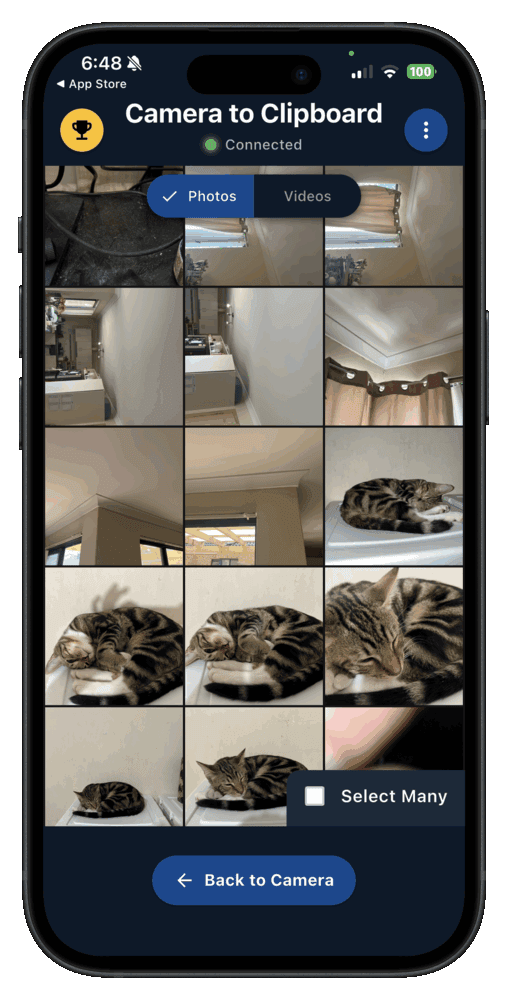
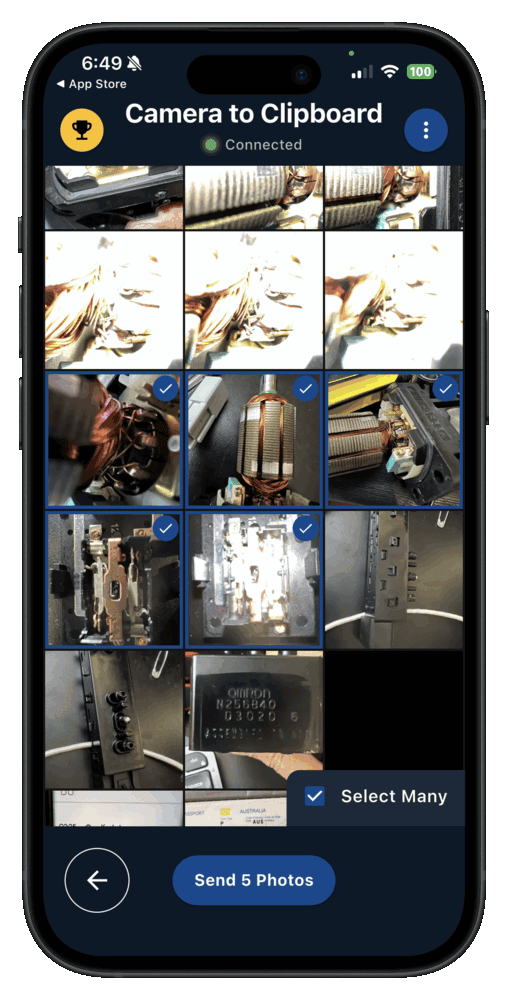
- Camera to Clipboard sends a phone photo to the computer and ends in a paste, not a file. The photo lands on the clipboard, so Ctrl + V drops it into your document.
- Camera to Clipboard is paired once and is then ready whenever you want a phone photo on the computer. There is no page to open and no tab to keep alive.
- Camera to Clipboard moves a phone photo straight to the computer, uploading nothing. The photo crosses your own Wi-Fi, and the two apps use the internet only to find each other. A phone hotspot works too, because its mobile data connects both apps.
Camera to Clipboard delivers a JPEG and only goes one way
Two more things are worth knowing before you install it.
- Camera to Clipboard delivers an iPhone photo to the computer as a standard JPEG. There is no HEIC surprise on the Windows side and nothing to install to open it.
- Camera to Clipboard carries photos, videos and scans from the phone to the computer only, never the other way. For files in both directions, PairDrop or LocalSend is the better replacement.

PairDrop works like Snapdrop and pairs across networks too
If you liked Snapdrop and want it back, PairDrop is where to go first. It asks nothing Snapdrop did not, and fixes two things the original got wrong.
- PairDrop sends a file between a phone and a computer exactly the way Snapdrop did. Open pairdrop.net in a browser on both devices, then pick a file and send it.
- PairDrop is the community fork of the Snapdrop code from before the LimeWire acquisition. Nothing has to be relearned, and the transfer still goes straight between your devices.
- PairDrop can pair a phone and a computer on different networks, which Snapdrop could not do. Pairing uses a short code or a QR code.

PairDrop needs no install and you can run your own copy
Two things keep PairDrop working when somebody else's server does not.
- PairDrop needs nothing installed on the phone or the computer, exactly like Snapdrop. That is what makes it work on a computer that is not yours.
- You can run your own copy of PairDrop, so nobody else's server going down can stop your transfers. Self-hosting is a real answer to the outage problem that pushed people off Snapdrop.

Browser transfer tools fail on Wi-Fi that isolates devices
Before you go looking for a better tool, check the network. Plenty of Wi-Fi is set up so two devices on it cannot reach each other.
- Public, hotel, campus and corporate Wi-Fi deliberately stops your phone and computer seeing each other. The setting is called client isolation, and it stops one guest reaching another's laptop.
- On an isolating network Snapdrop and PairDrop open fine, and neither device ever lists the other. No error message explains why, which makes this hard to place.
- No browser transfer tool gets around a network that isolates devices, so swapping Snapdrop for PairDrop changes nothing. It stops installed apps such as LocalSend too.

Switch to the phone's hotspot when the Wi-Fi blocks the transfer
Two network fixes are worth trying before you blame the tool.
- Turning on the phone's hotspot is the reliable escape when a network blocks a transfer. Put the computer on that hotspot and nobody is filtering between them.
- A home router's guest network can put the phone and the laptop on different SSIDs, which breaks the transfer. Check both devices are on the same network name.

LocalSend does what Snapdrop did without a browser tab open
LocalSend answers the outage problem by deleting the server rather than replacing it. That buys real reliability, and costs you what made the browser approach easy to recommend.
- LocalSend does the same phone to computer transfer as Snapdrop, delivered as an installed app. It runs on Windows, macOS, Linux, Android and iOS, over your local network.
- LocalSend needs no browser tab and no hosted server, so a Snapdrop style outage cannot take it down. The two devices find each other on the network by themselves.
- LocalSend is open source and free, with no company between the phone and the computer. That matters for anything you would rather keep off a stranger's servers, which is what changed at Snapdrop under LimeWire.

LocalSend asks for an install and still leaves you a file
Two costs come with deleting the server rather than replacing it.
- LocalSend has to be installed on both the phone and the computer before anything can be sent. That loses the "works on any computer" advantage.
- LocalSend finishes by leaving a file on the computer for you to go and find. Like Snapdrop, PairDrop and every other tool here, what you get sits in Downloads.

AirDrop, Quick Share and Phone Link all miss iPhone to Windows
Before installing anything, check what your phone and computer already do. Each of the three built-in options is good inside its own family and stops at the edge of it.
- AirDrop moves files between two Apple devices beautifully and will never talk to a Windows PC. If both your devices are Apple, stop reading and use it.
- Quick Share sends files from an Android phone to a Windows PC and covers no other combination. It needs Google's companion app on the PC.
- Phone Link copies photos to a Windows PC from an Android phone only, never from an iPhone. Its iPhone support covers calls, messages and contacts, not photos.
- None of AirDrop, Quick Share or Phone Link works for every phone and computer combination. That is why a tool for any phone and any computer still has a job.

Every Snapdrop alternative trades install against reliability
Sorting by "Survives a server outage" puts the tools that keep working first.
| Tool | Install needed | Works iPhone to Windows | Survives a server outage | Ends in | Best for |
|---|---|---|---|---|---|
| PairDrop | None | Yes | If self-hosted | A file | A computer that is not yours |
| Snapdrop | None | Yes | Frequent outages | A file | Nothing, now that LimeWire carries the files |
| LocalSend | Both devices | Yes | No server involved | A file | Regular transfers of any file type |
| Camera to Clipboard | Both devices | Yes | Local transfer | A paste | Photos going into a document daily |
| AirDrop | Built in | No, Apple only | No server involved | A file | Apple device to Apple device |
| Quick Share | Windows app | No, Android only | No server involved | A file | Android to Windows |
| Phone Link | Built in | No photos on iPhone | Account based | A file | Android notifications and messages |

How often you transfer decides your best Snapdrop alternative
All of these work. The choice comes down to how often you move files, and what you want to be holding at the end.
- PairDrop is the Snapdrop replacement for a one off transfer on a computer that is not yours. Nothing has to be installed on either device.
- LocalSend is the best Snapdrop replacement for regular transfers of any file type in both directions. It runs as an app on both devices, with no hosted server to go down.
- Camera to Clipboard is the best Snapdrop replacement when phone photos go into documents and emails every day. Pasting removes the step you would otherwise repeat dozens of times a week.

AirDrop and Quick Share already cover two device pairings
Two combinations are already handled by something built in.
- An iPhone sending to a Mac needs no Snapdrop alternative, because AirDrop already does it. None of the rest of this page applies if both devices are Apple.
- Quick Share is the right choice if you only ever send from an Android phone to a Windows PC. The phone half is already built in.
Common questions about Snapdrop and its alternatives
What is the best Snapdrop alternative?
PairDrop is the closest replacement. It is actively maintained, works the same way in a browser with nothing installed, and can pair devices on different networks. For everyday transfers to your own computer, an installed app beats a browser tab.
Why does Snapdrop not work any more?
Snapdrop was bought by LimeWire, so files sent through snapdrop.net now travel through LimeWire's servers instead of straight between your devices. The hosted site also goes down. Separately, the approach fails on networks that isolate devices, common on public, campus and corporate Wi-Fi. No browser tool can work around that.
Is there a Snapdrop alternative that does not need a browser tab open?
Yes. LocalSend is an open-source app that does the same local network transfer without a browser. Camera to Clipboard puts the photo straight onto your computer's clipboard, so there is no file to find.