The useful question is not which Pushbullet alternative is best. It is what you used Pushbullet for. It pushed links, sent files, mirrored Android notifications, answered texts and shared a clipboard. Almost nothing replaces all five, and most already have a free answer on your machine. This page splits them up.
The quick answer: no single replacement, because Pushbullet did several unrelated things. Links go through your browser's send to device feature. Files go through LocalSend. Android notifications and texts go through Windows Phone Link. A shared clipboard is Universal Clipboard on Apple devices, KDE Connect everywhere else. For a photo, Camera to Clipboard pastes it in seconds. Free for iPhone Free for Mac Free for Android Free for Windows

Which Pushbullet job you want back decides your replacement
Pushbullet bundled unrelated jobs into one app, which is why a single replacement is hard to name. Work out which one you miss, then read that section.
- Sending a link from a phone to a computer is the Pushbullet job with the most free replacements. Every major browser sends a page to your other signed-in devices.
- Sending a file between a phone and a computer is the Pushbullet job local transfer tools now do better. LocalSend and PairDrop move it straight between the two devices, with nothing uploaded.
- Seeing an Android phone's notifications on the desktop is the Pushbullet job Windows took over itself. Phone Link ships with Windows 11 and needs nothing extra installed.
- Answering texts from a computer keyboard is the Pushbullet job with a different answer on every platform. Phone Link does it on Windows, Messages does it on a Mac, KDE Connect elsewhere.

The clipboard and a pasted photo need the most help
Two harder jobs, and a note on what this page is not doing.
- Copying on one device and pasting on another is the Pushbullet job with the least built-in support anywhere. Universal Clipboard covers Apple devices only, and Android with Windows has no built-in equivalent.
- Getting a photo onto a computer ready to paste is worth separating from general file transfer. A transfer tool drops it in a folder, which you then have to find and attach.
- This page does not tell you whether to leave Pushbullet, and it does not need to. Every answer below is about the job rather than the vendor, so it holds either way.

Camera to Clipboard puts a phone photo on the computer clipboard
One job is worth pulling out, because a general file transfer tool answers it badly. You have a photo on your phone and you want it inside a document.
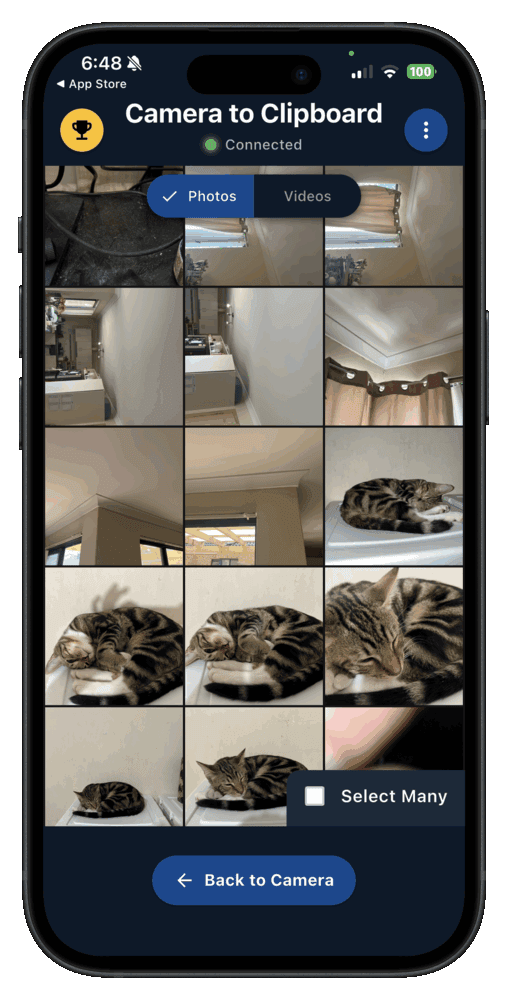
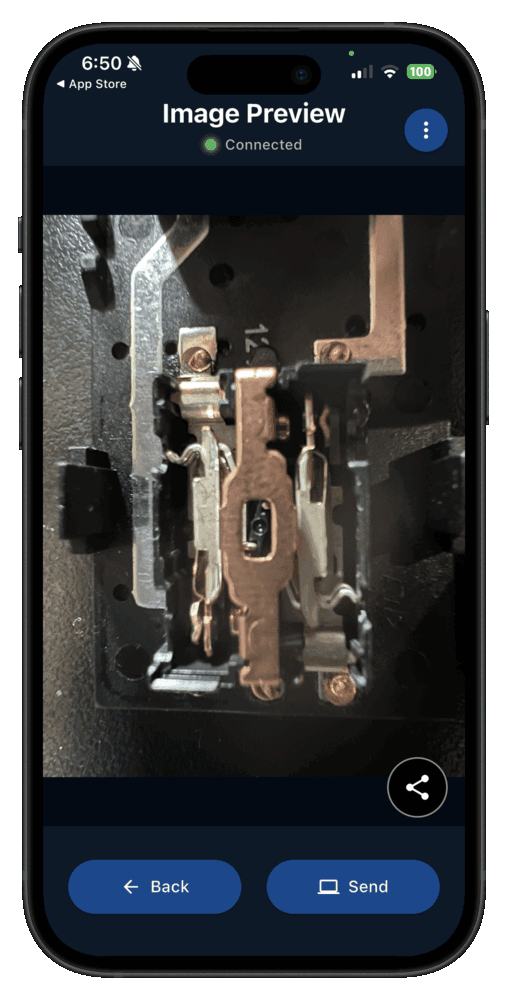
- A photo sent with Camera to Clipboard lands on the computer's clipboard, not in a folder. Press Ctrl + V on Windows or Cmd + V on a Mac.
- Camera to Clipboard carries the photo over your own Wi-Fi, with nothing uploaded. The two apps use the internet only to find each other, and a hotspot works too.
- Camera to Clipboard works from an iPhone or an Android phone to a Windows PC or a Mac. That includes iPhone with Windows and Android with a Mac.
Camera to Clipboard was built for pasting, not for notifications
One thing it does not do, and the job it was designed around.
- Camera to Clipboard does not mirror notifications and does not send text messages from your computer. It replaces one of Pushbullet's jobs, so pair it with Phone Link or KDE Connect.
- Pasting a phone photo into Word or an email is the job Camera to Clipboard was built around. The guide to pasting a phone photo into Word or email walks through it.
The whole setup is four steps:
- Install Camera to Clipboard on the phone and the desktop app on the computer.
- Pair once by scanning a QR code, which takes about ten seconds.
- Take or pick a photo on the phone and send it.
- Press Ctrl + V, or Cmd + V on a Mac.
Free to download and try on both ends. The free version adds a small watermark and caps photos at 1920px. Pro removes both.

Chrome, Firefox and Safari each move a link between your devices
People underestimate this one, because the replacement is already installed and nobody advertises it. Sign into the same browser on both devices and you get a send button.
- Chrome sends the page open on your phone to your computer when you are signed in on both. Open the share menu, choose your devices, and pick the computer.
- Firefox's Send Tab to Device moves a tab from a phone to a computer. It needs a Mozilla account signed in on both, and the tab opens with one click.
- Safari already puts every tab open on your iPhone into the Mac's tab list, so there is nothing to send. Both devices need the same Apple account with Safari syncing on.

A chat app or an email moves a link with nothing to set up
Three more ways cost nothing and need no new account.
- Messaging yourself in a chat app moves a link or a paragraph from a phone to a computer. WhatsApp, Telegram and Signal each have a conversation with yourself that syncs everywhere.
- Emailing yourself a link needs no new account and works between any phone and any computer. It is slower than a notification, but it is still searchable a year later.
- None of these ways of sending a link costs anything, so try them before installing a Pushbullet replacement. There is no subscription and no background app to keep running.

LocalSend replaces Pushbullet for sending a file across
Once you are moving a real file, what matters is whether it leaves your own network. Local tools keep it between the two devices, which is faster and needs no account.
- LocalSend sends a file between a phone and a computer over your own Wi-Fi, with no account and no upload. It runs on Windows, macOS, Linux, Android and iOS.
- LocalSend is free and open source, which is why it keeps being recommended as a Pushbullet replacement. Nothing passes through a server the project runs, and nothing counts how much you send.
- PairDrop does the same local file transfer in a browser tab, with nothing to install. Useful on a computer you cannot install software on. The Snapdrop alternatives guide compares the two kinds.

Client isolation blocks them, and each built-in stays in its family
One network problem, and the two built-in tools that will not cross.
- A Wi-Fi network that isolates its clients blocks LocalSend and every other local transfer tool at once. Guest, hotel and office Wi-Fi often stop devices talking directly. Use the phone's hotspot instead.
- AirDrop covers phone to computer file transfer inside Apple's own devices and nowhere else. An iPhone to a Mac is one tap. The AirDrop for Windows guide covers the alternatives.
- Quick Share moves files between an Android phone and a Windows PC once you install Google's Windows app. Like AirDrop, it never reaches an iPhone or a Mac.

Windows Phone Link mirrors Android notifications and messages
This is the part of Pushbullet that Windows absorbed. On Windows with an Android phone, the replacement is already on the machine.
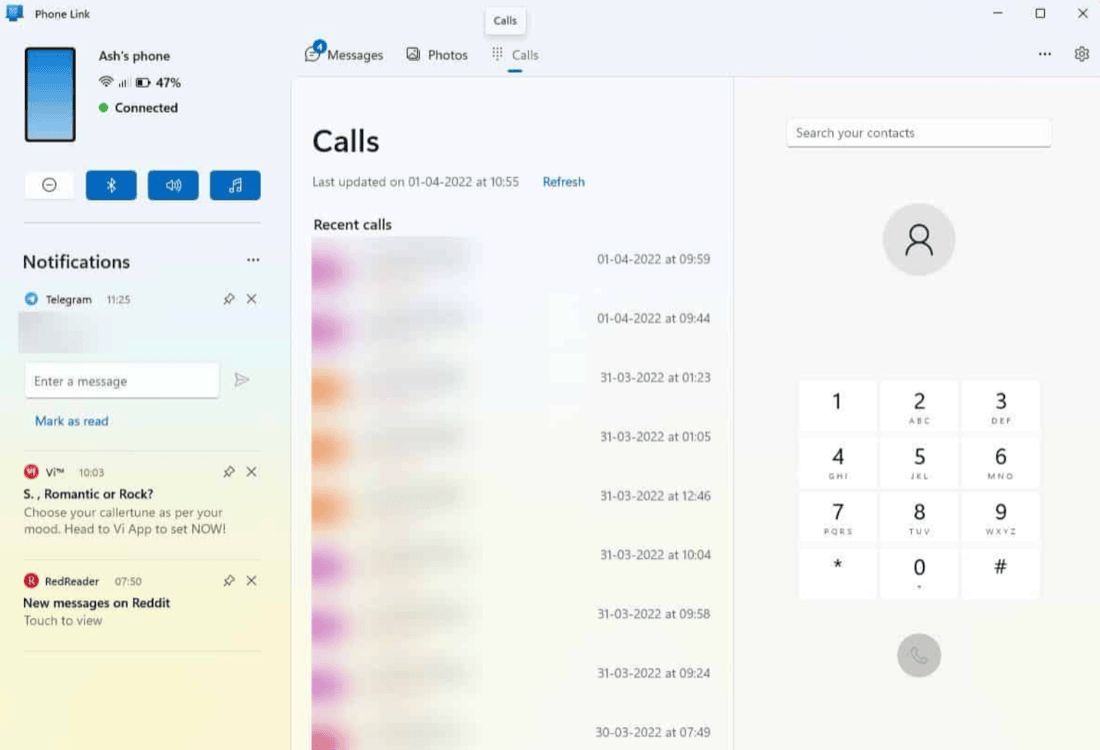
- Phone Link ships with Windows 11 and shows a linked Android phone's notifications on the desktop. Pair the phone once through the Link to Windows app.
- Phone Link lets you read and send an Android phone's text messages from the PC keyboard. They go out through the phone's own SIM and number, so there is no second number.
- Phone Link also shows an Android phone's recent photos and lets you drag one onto the desktop. That panel is the flaky part, and the Phone Link photos guide covers the fixes.
- Phone Link's iPhone support covers calls, messages and contacts, and does not include the photos panel. Apple does not let one app mirror another's notifications, so that is a platform rule.
Phone Link needs an account, and a Mac has no Android equivalent
Three more things decide whether Phone Link is available to you.
- Phone Link needs a Microsoft account signed in on the PC and the Link to Windows app on the phone. Both are free, and many Samsung phones already have it.
- A Mac already sends and receives an iPhone's text messages with nothing extra installed. Sign it into the same Apple account and Messages and calls arrive, Apple's equivalent of Phone Link.
- macOS has no equivalent of Phone Link for an Android phone. Apple ships nothing for Android and Google ships nothing for macOS, which is where KDE Connect earns its place.

KDE Connect is the closest thing to a whole Pushbullet replacement
If you want one app for most of the list rather than a different answer per job, this is it. It asks the most at setup and gives back the most.
- KDE Connect pairs an Android phone with a computer and covers notifications, clipboard, files and texts in one app. It is free and open source, and the closest match to what Pushbullet did.
- KDE Connect shares a clipboard between an Android phone and a computer, which neither system does on its own. Copy on one, paste on the other. Newer Android needs a button press, because background reads are blocked.
- KDE Connect is at its best on Linux, and its Windows and macOS builds are rougher. It grew out of the KDE desktop, so that is where the integration is deepest.

KDE Connect stays local, needs one network and does less on iPhone
Three conditions decide whether KDE Connect suits your two devices.
- KDE Connect keeps everything on your local network and involves no account of any kind. The phone and the computer pair directly, so there is nothing to sign up for.
- KDE Connect has an iPhone app, but it does much less than the Android one. iOS blocks an app from reading other apps' notifications or watching the clipboard, the two features people most want.
- KDE Connect needs both devices on the same network, so a network that isolates its clients breaks it. Same limitation as every other local tool, and the same hotspot fix.

Apple's Universal Clipboard works only between Apple devices
Copy here and paste there was one of Pushbullet's neatest tricks, and the job with the least built-in support left. What you get depends on your two devices.
- Universal Clipboard copies on an iPhone and pastes on a Mac with nothing installed, given the same Apple account. Both need Bluetooth, Wi-Fi and Handoff on, and to be within a few metres.
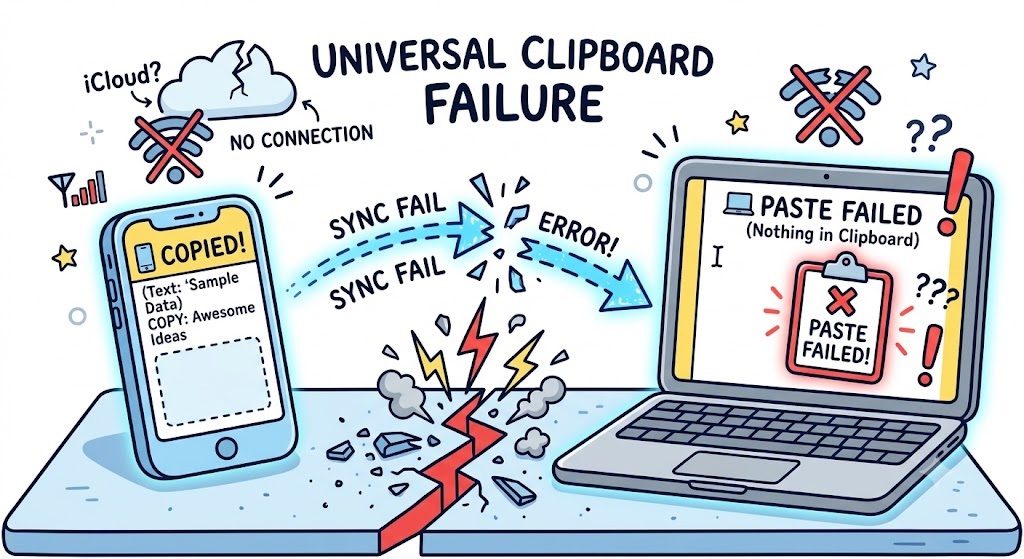
- Universal Clipboard fails silently, so an empty paste on the Mac is its normal failure, not a broken setup. Nothing shows an error. The cure is usually toggling Bluetooth or Handoff off and on.
- Universal Clipboard does not reach a Windows PC or an Android phone at all. It is one of Apple's Continuity features, built for Apple's own devices and offered nowhere else.
Windows syncs between PCs only, and an image is the hard case
Two more limits show up once you leave Apple's own devices.
- Windows has a clipboard history that syncs between PCs, not between a phone and a PC. Press the Windows key and V to see it. Syncing reaches your other Windows machines only.
- Copying an image between a phone and a computer is harder than copying text, and many clipboard tools handle text only. Text is small and stored the same way everywhere. An image is neither.

Every Pushbullet job has a different best replacement
This is the whole page in one place. Find the row for the thing you used Pushbullet for, and read across.
| What you used Pushbullet for | What to use instead | Which devices it works between | Whether you need an account | What it costs |
|---|---|---|---|---|
| Sending a link to your computer | Chrome or Firefox send to device | Any phone with any computer | A browser account, signed in on both | Free |
| Sending a file across | LocalSend, or PairDrop in a browser | Any phone with any computer | No account at all | Free and open source |
| Android notifications on the desktop | Phone Link, or KDE Connect elsewhere | Android with Windows, not with a Mac | A Microsoft account for Phone Link | Free |
| Texting from the computer keyboard | Phone Link on Windows, Messages on a Mac | Android or iPhone, no Android with a Mac | A Microsoft or Apple account | Free |
| Copying and pasting between devices | Universal Clipboard, or KDE Connect | Apple only, or Android with a computer | An Apple account, none for KDE Connect | Free |
| Getting a phone photo into a document | Camera to Clipboard | Any phone with Windows or a Mac | No account at all | Free to try on both ends |

Each phone and computer pairing needs a different pair of tools
Nothing here does everything Pushbullet did, and hunting for the one app that does is what makes this search frustrating. Two or three free tools cover the list.
- An Android phone with a Windows PC needs Phone Link and one file transfer tool, and nothing more. Phone Link covers notifications, texts and recent photos, and LocalSend carries the rest.
- An iPhone with a Mac needs almost nothing installed, because Apple's own features already cover most of the list. Universal Clipboard, AirDrop, Safari syncing and Messages cover everything except pasting a photo.
- An iPhone with a Windows PC has the least built-in support of any pairing. Phone Link gives calls and texts but no photos, AirDrop gives nothing here, and files need a transfer tool.
- An Android phone with a Mac has no first-party answer, so KDE Connect is the practical choice there. The open source option is doing all of the work.

Camera to Clipboard covers the photo, and a roundup covers the rest
One app for the photo, and where to read about the rest.
- If what you keep pushing across is a photo you are about to paste, Camera to Clipboard is the app to install. It works on every phone and computer combination.
- A wider roundup of phone to computer transfer apps is worth reading before you commit to one. The best phone to PC transfer apps guide compares what each one is good at.
Common questions about Pushbullet alternatives
What is the best Pushbullet alternative?
There is no single one, because Pushbullet did several unrelated jobs. For links, your browser's send to device feature needs nothing installed. For files, LocalSend sends them over your local network with no account. For Android notifications and texting, Windows Phone Link does both. KDE Connect covers most of the list.
Is there a Pushbullet alternative that mirrors notifications on a Mac?
For an Android phone, KDE Connect is the practical answer, because macOS has no built-in equivalent to Phone Link. For an iPhone, signing the Mac into the same Apple account puts calls and messages there. iPhone Mirroring can show notifications where it is available.
Can I still copy on my phone and paste on my computer without Pushbullet?
Between Apple devices, yes. Universal Clipboard copies on an iPhone and pastes on a nearby Mac on one Apple account. Between Android and Windows, nothing ships with either system, so KDE Connect is the usual answer. For a photo, Camera to Clipboard sends it from either phone to the Windows or Mac clipboard.
Does Camera to Clipboard replace Pushbullet?
Only for one of its jobs. Camera to Clipboard sends photos and scans from a phone to the computer's clipboard over your own Wi-Fi, ready to paste. A video is saved as a file, with its path on the clipboard. It does not mirror notifications, send texts, or sync typed text.